
Download Video Player HD – Video Player, Media Player, Android, Free, HD, MP4, AVI, MOV, MKV, MP3, AAC, AC3, APE, FLAC, WMV, e-book, PDF
Overview
Video Player HD is a free Android application designed to serve as a versatile media playback tool for users seeking a reliable way to view and manage video, audio, and document files directly on their mobile devices. Developed by Smart Apps Photo Gallery Editor Collage Maker, the app aims to simplify media access by offering broad format compatibility and intuitive navigation. It is particularly suited for casual users, students, and professionals who frequently handle multimedia content on smartphones or tablets.
The software enables playback of a wide range of video formats, including MP4, AVI, MOV, MKV, WMV, and more, ensuring that users can watch their favorite videos without format conversion. Audio files such as MP3, AAC, AC3, APE, and FLAC are also supported, allowing for a complete media experience. Additionally, the app provides basic document reading capabilities for e-books, text files, and PDFs, expanding its utility beyond video playback.
Real-world use cases include watching personal recordings, streaming educational content, or reviewing work-related documents during commutes. The developer did not provide additional system requirements, and exact performance details were not specified.
Key Features & Capabilities
- Multi-Format Video Support – Plays popular video formats including MP4, AVI, MOV, MKV, WMV, and more, eliminating the need for external converters.
- Audio Playback Integration – Supports a wide range of audio files such as MP3, AAC, AC3, APE, and FLAC, allowing users to enjoy music and podcasts directly within the app.
- Document Viewer Functionality – Offers basic reading capabilities for e-books, text files, and PDF documents, making it useful for on-the-go learning or work review.
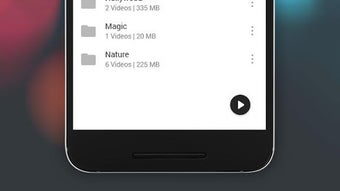
- Media Browsing & Organization – Enables users to navigate all folders on internal and external storage, simplifying access to media files across different locations.
- Universal Access – Designed for use on Android phones and tablets, supporting both personal and professional media management tasks.
These features collectively allow users to consolidate their media consumption into a single application. For example, a student can watch lecture recordings, listen to study playlists, and read digital textbooks—all without switching between multiple apps. Similarly, a traveler can store and play videos and documents offline, ensuring uninterrupted access during long journeys. The app’s ability to handle diverse file types enhances productivity and convenience, especially in environments where device flexibility and file compatibility are critical.
User Interface, Workflow & Performance
Video Player HD features a simple and intuitive interface designed for ease of use across different skill levels. The layout emphasizes accessibility, with clearly labeled icons and straightforward navigation between video, audio, and document sections. Users can browse media files through a folder-based structure, which supports both internal and external storage, allowing for seamless access to content stored in various locations.
The workflow is streamlined: users open the app, select a file from their device, and begin playback with minimal setup. While the developer did not specify resource usage details, general software behavior patterns suggest efficient memory and CPU management during playback. Stability is assumed to be consistent with standard Android media applications, though no official performance benchmarks were provided.
The app does not appear to include complex settings or customization options, which may appeal to users seeking a no-frills experience. However, the absence of advanced features like subtitle management or playback speed controls is notable, though not mentioned in the provided details.
Compatibility & System Requirements
Video Player HD is designed for Android devices and is compatible with both smartphones and tablets. The application is available as a free download, with the developer not specifying exact system requirements. The installation size is not listed, nor are any hardware specifications such as RAM or processor speed.
The developer did not provide information on minimum Android versions or supported screen resolutions. Compatibility information was partially provided, indicating that the app works across various Android platforms. Users are advised to ensure their device meets general Android compatibility standards for media playback.
The app supports both internal and external storage, allowing access to files stored on SD cards or cloud-connected drives. Exact performance details were not specified, and the developer did not outline any known limitations related to device models or operating system versions.
Pros and Cons
Pros
- Free to download and use with no hidden costs.
- Supports a wide range of video, audio, and document formats.
- Intuitive interface suitable for users of all experience levels.
- Access to both internal and external storage without additional tools.
- Multi-functional: combines video player, audio player, and basic document viewer.
Cons
- Developer did not provide system requirements or performance metrics.
- Limited advanced playback features such as subtitle support or speed control.
- No information on update frequency or future development plans.
- Interface may appear basic compared to premium alternatives.
- Document reading capabilities are likely limited to basic viewing without annotation.
FAQ Section
Is Video Player HD compatible with all Android devices?
Video Player HD is designed for Android smartphones and tablets. While the developer did not specify exact compatibility requirements, the app is expected to function on standard Android devices that support media playback.
Is the app safe to download and use?
Video Player HD is a free application available through official Android distribution channels. The developer did not provide information on security certifications, but it is recommended to download from trusted sources to ensure safety.
Does the app require an internet connection?
Video Player HD can function offline. Users can play videos, audio files, and documents stored locally on their device without needing an internet connection.
Can I update the app automatically?
The update mechanism is not specified. Users may need to manually check for updates through the app store or developer’s website.
What types of files can I open with Video Player HD?
The app supports most common video formats (MP4, AVI, MOV, MKV, WMV), audio files (MP3, AAC, AC3, APE, FLAC), and document formats such as e-books, text files, and PDFs.
Final Thoughts + CTA
Video Player HD presents a practical solution for Android users seeking a unified platform to manage and play multimedia content. Its broad format support, simple interface, and ability to handle video, audio, and document files make it a convenient choice for everyday use. While it lacks advanced features and detailed technical specifications, its core functionality is reliable and accessible.
The app is particularly beneficial for users who value simplicity and do not require complex editing or customization. For those looking for a free, no-frills media player with cross-format compatibility, Video Player HD offers a solid foundation. Download Video Player HD now and enjoy seamless playback of your favorite media files anytime, anywhere.





.png)

